






- Industrial LCD display
-
Industrial Products
- DC Servo Drive
- AC Servo Drive
- other
- Heidelberg
- FANUC
- IFM
- Meter
- CCD
- Membrane Keypad
- Film
- YOKOGAWA Module
- Card
- ABB
- MITSUBISHI
- FANUC
- KEYENCE
- BECKHOFF
- Honeywell
- HOLLYSYS
- FUJI servo drives
- HP
- solenoid valve
- thermostat
- Siemens adapter
- color oscilloscope
- Fujitsu connector
- CHELIC
- SMC
- CISCO Module
- INTEL
- Key board
- FAIRCHILD
- Motherboard
- Board
- Bearing
- other
- Control Panel
- Contactor
- Circuit
- OMRON
- Relay
- Controller
- Photoelectric Switch
- Photoelectric Sensor
- Original
- Fan
- Motor Driver
- Limit Switch
- Amplifier
- power supply
- LENZE
- Cable
- Encoder
- Sensor
- Transformer
- Fiber Optic Sensor
- Protection Relay
- Temperature Controller
- Proximity Switch
- Switch Sensor
- Siemens
- Industrial board
- HMI Touch Glass
-
HMI Full Machine Whole unit
- OMRON HMI Touch Panel
- Siemens HMI Touch Panel
- Mitsubishi HMI Touch Panel
- Allen-Bradley automation HMI Touch Panel
- DELTA HMI Touch Panel
- EVIEW DELTA HMI Touch Panel
- KINCO DELTA HMI Touch Panel
- HITECH HMI Touch Panel
- WEINTECK HMI Touch Panel
- TECVIEW HMI Touch Panel
- WEINVIEW HMI Touch Panel
- PRO-FACE HMI Touch Panel
- SIMATIC HMI Touch Panel
- AMPIRE HMI Touch Panel
- HEIDELBERG HMI Touch Panel
- PANASONIC HMI Touch Panel
- PATLITE HMI Touch Panel
- KYOCERA HMI Touch Panel
- KEYENCE HMI Touch Panel
- WEINVIEW HMI Touch Panel
- HITECH HMI Touch Panel
- FUJI HMI Touch Panel
- HAKKO HMI Touch Panel
- SCHNEIDER HMI Touch Panel
- SAMKOON touch panel
- other
- Module
- lcd inverter
- Membrane Keypad Switch
- Winni Touch Screens
- Frequency Inverter
- Servo Motor
- PLC



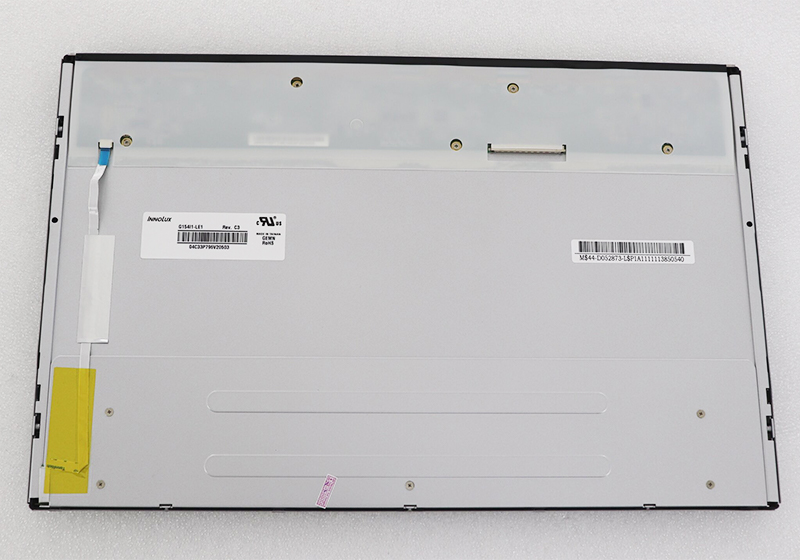
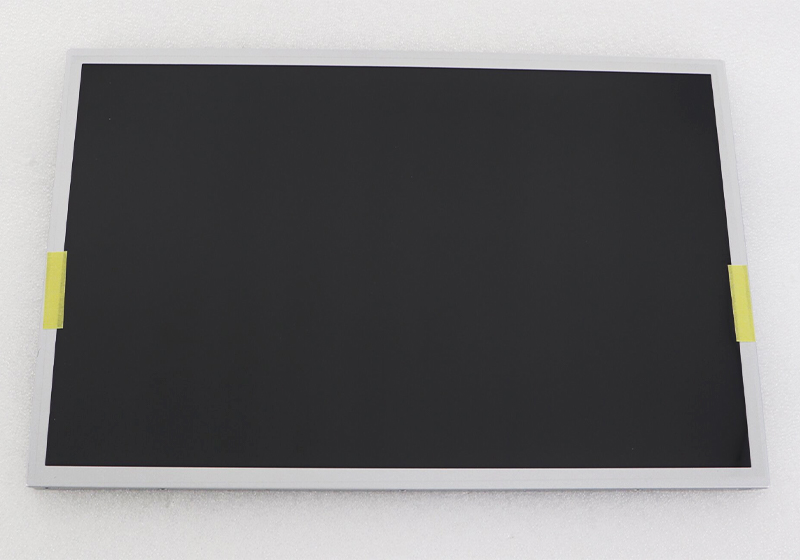
new G154I1-LE1 LCD Screen Display Panel For 15.4 inch Chi Mei
In the intricate world of laptop repair and component upgrades, the display panel stands as the primary interface between user and machine. A failing screen can render even the most powerful computer useless, making the search for a compatible, high-quality replacement a critical task. This article delves into the specifics of one such crucial component: the new G154I1-LE1 LCD screen display panel designed for 15.4-inch Chi Mei (Innolux) systems.
We will explore not only the technical specifications and identification process for this panel but also its significance within the broader ecosystem of display technology. From understanding its role in modern computing to providing a practical guide for sourcing and installation, this deep dive aims to be an authoritative resource for IT professionals, repair technicians, and informed enthusiasts looking to make a confident and successful display replacement.
Understanding the G154I1-LE1: More Than a Part Number
The alphanumeric code G154I1-LE1 is not arbitrary; it is a precise identifier encapsulating key specifications. The "G" often denotes a glossy screen finish, while "154" indicates a 15.4-inch diagonal measurement. The "I1" segment typically references the panel's revision and internal model lineage. Crucially, this model is an LCD (Liquid Crystal Display) panel with an LED (Light Emitting Diode) backlight system, offering advantages in energy efficiency, thickness, and color consistency over older CCFL technology.
Manufactured by Chi Mei, which is part of the Innolux Corporation, this panel is engineered to meet specific mechanical, electrical, and optical standards. Its compatibility is defined by a combination of factors: physical dimensions, mounting hole positions, connector type (usually a standard 30-pin or 40-pin LVDS interface), and voltage requirements. Understanding this code is the first step in ensuring a perfect match for your device.
The Critical Role of Panel Compatibility and Sourcing
Replacing a laptop screen is a precision operation where compatibility is paramount. The G154I1-LE1 is designed as a drop-in replacement for a range of laptops that originally utilized Chi Mei panels with identical parameters. Sourcing a genuine or A+ grade replacement is essential to avoid issues like dead pixels, backlight bleeding, or shortened lifespan.
When searching for this panel, it is vital to procure it from reputable suppliers specializing in laptop components. Key indicators of a reliable part include guarantees against dead pixels (e.g., a "no dead pixel" policy), clear grading (A+ being the highest), and accurate listing of the full model number. Beware of generic listings that claim universal compatibility; they often lead to physical fit or connector mismatch, resulting in wasted time and resources.
Technical Specifications and Performance Characteristics
Delving into the technical profile, the G154I1-LE1 typically offers a standard WXGA (1280 x 800 pixels) resolution, providing a 16:10 aspect ratio that is well-suited for both productivity and multimedia consumption. The panel employs a standard Twisted Nematic (TN) technology, which delivers fast response times—beneficial for reducing motion blur—though often at the expense of viewing angles and color depth compared to IPS panels.
Its LED backlight ensures uniform brightness and supports a standard luminance level (e.g., 200-250 nits) suitable for indoor use. The interface is almost certainly a single-channel LVDS, and the panel operates on a low-voltage DC power supply. These specifications collectively define the visual performance and direct hardware compatibility with the laptop's motherboard and video cable.
Step-by-Step Guide to Replacement and Installation
Installing the G154I1-LE1 panel requires careful attention. The process generally involves: 1) Powering down and removing the battery, 2) Carefully prying off the plastic bezel surrounding the old screen, 3) Unscrewing the panel from its metal brackets, 4) Disconnecting the LVDS cable and backlight inverter cable (if separate), and 5) Reversing the steps with the new panel.
Critical precautions include handling the panel only by its edges to avoid pressure marks, ensuring the workspace is static-free, and connecting cables firmly but gently. It is highly recommended to consult a device-specific teardown guide or video tutorial. The connector must be seated perfectly, and the brackets must be aligned correctly to avoid putting stress on the glass, which can lead to cracks.
Common Issues and Troubleshooting Post-Installation
Even with a correct installation, users may encounter issues. A blank screen with a powered backlight suggests a problem with the LVDS signal—recheck the cable connection at both ends. Horizontal/vertical lines or flickering can indicate a loose connection, a damaged cable, or, rarely, an incompatible panel. No backlight but a faint image visible with a flashlight points to an issue with the backlight circuit or its power.
Systematic troubleshooting is key. Before assuming the new panel is faulty, double-check every connection, try gently reseating the cables, and test with the original panel if possible. Ensure the laptop's display settings and graphics drivers are up to date, as software issues can sometimes mimic hardware failure.
The Broader Impact: E-Waste and the Repair Ecosystem
Choosing to replace a specific component like the G154I1-LE1, rather than discarding the entire laptop, is a decision with positive environmental and economic ramifications. It directly contributes to the circular economy by extending the useful life of electronics, reducing demand for raw materials, and minimizing the growth of toxic e-waste.
This practice supports a vital repair ecosystem, empowering independent repair shops and DIY users. It challenges the culture of disposability and promotes sustainability. By understanding and engaging in component-level repair, consumers advocate for the Right to Repair and make a more conscious choice about technology consumption.
FAQS
Q10: Where is the best place to buy a genuine G154I1-LE1 panel?A: From established online retailers specializing in laptop parts, which offer clear grading, compatibility information, and warranties.
Conclusion
The journey to successfully replacing a laptop display hinges on precise knowledge and careful action. The G154I1-LE1 LCD panel exemplifies how a specific component serves as a lifeline for countless 15.4-inch devices. By moving beyond the simple part number to understand its technical DNA, compatibility nuances, and installation intricacies, users and technicians can execute repairs that restore both function and value.
Ultimately, this process represents more than a technical fix; it is a step towards sustainable technology use. Informed component replacement empowers users, reduces electronic waste, and champions a culture of repair over replacement. Whether you are reviving an old workhorse or performing a professional service, mastering the details of panels like the G154I1-LE1 is an invaluable skill in the modern digital toolkit.